

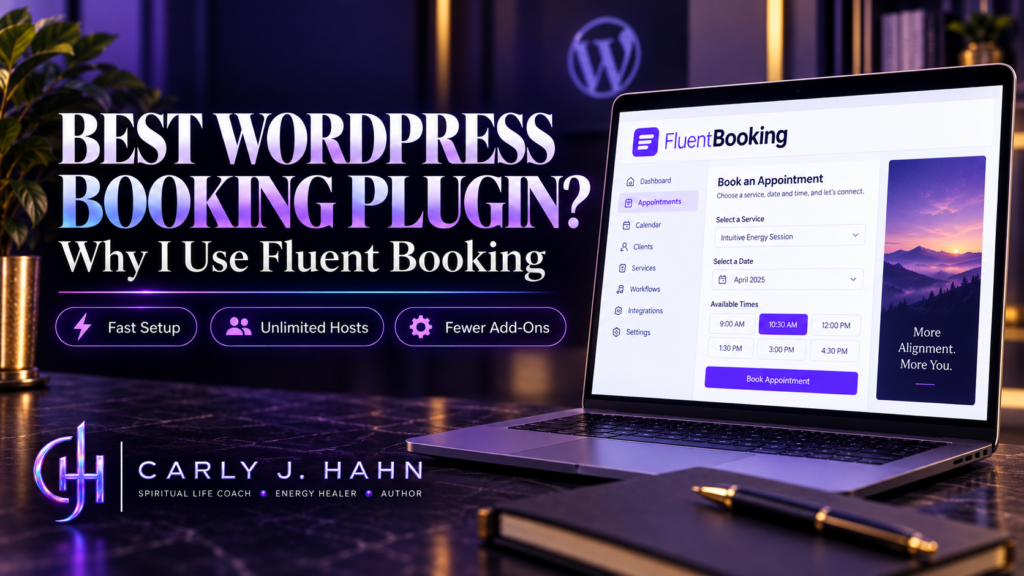
Finding the best WordPress booking plugin sounds simple until you start installing them, configuring them, paying for add-ons, and trying to make them work inside an actual business. I have used Bookly, Booknetic, BookingPress, Calendly, Fluent Booking, and other booking systems across my own websites and client builds, and that experience completely changed how I evaluate booking software.
After dealing with enough of them, I stopped choosing booking software based on which plugin had the longest feature list or the largest number of users. I started looking at what happens after I install the damn thing.
For the service-based WordPress sites I build, Fluent Booking is currently the booking plugin I recommend. It gives me the best combination of cost, setup speed, included functionality, integrations, multi-staff support, and room to grow without turning a fairly simple booking system into a collection of paid extensions.
That conclusion comes from using these systems, configuring them for actual businesses, and dealing with the problems that show up after the sales page is closed.
What Should the Best WordPress Booking Plugin Actually Do?
The best WordPress booking plugin should allow a business to manage appointments without creating more administrative work than the appointment itself. For most service-based businesses, that means scheduling, availability management, calendar synchronization, meeting links, intake questions, payments, notifications, and staff scheduling all need to work together.
The exact requirements change by business, but these are the things I evaluate before recommending a booking system:
- How quickly can I install and configure it?
- What does the complete workflow actually cost?
- Which features require additional paid products?
- Can multiple staff members manage their own availability?
- Does it integrate with Google Calendar and meeting platforms?
- Can I collect the information the business needs during booking?
- Can it communicate with the CRM, forms, and automation tools already being used?
- How difficult will it be to customize later?
- What happens when the business grows?
- How much ongoing maintenance am I creating?
That last question gets ignored far too often.
A plugin can look inexpensive on a pricing table and become a pain in the ass once the business needs three extensions, another subscription, a separate form builder, and an integration service just to get information from Point A to Point B.
The advertised price is only the beginning of the conversation.
Which WordPress Booking Plugins Have I Actually Used?
My recommendation of Fluent Booking comes after working with multiple booking systems rather than installing one plugin for a review and declaring victory before lunch.
I originally chose Bookly because it was popular and established. I have also worked with BookingPress, Booknetic, Calendly, and other scheduling systems while building my own sites and websites for clients.
Each one taught me something about what I actually care about in booking software.
What Did I Learn From Bookly?
Bookly was the plugin that really changed how I evaluate WordPress software.
It could handle bookings. My frustration came from how often functionality I needed existed through another add-on.
Custom fields are a good example. Bookly still documents custom booking questions as a separate Custom Fields add-on that requires Bookly Pro. Full two-way Google Calendar synchronization is another separate add-on, as are recurring appointments and a long list of other booking functions.
Current Bookly pricing and bundles have evolved since I first used it, and some functionality is packaged differently today. That does not change what my experience taught me: I need to look at the full workflow before choosing software, because the base plugin rarely tells the whole financial story.
What Did I Learn From BookingPress and Booknetic?
BookingPress and Booknetic have also changed their pricing structures over time, which is another reason I do not like writing software recommendations as if pricing is carved into a stone tablet somewhere.
BookingPress currently bundles large numbers of premium add-ons into its paid plans. Its Standard plan starts at $89 per year and includes 45-plus premium add-ons, while higher tiers include more advanced functionality.
Booknetic currently uses tiered plans where the number of included add-ons changes substantially by plan. Its Basic tier includes no premium add-ons, Standard includes six, Premium includes 16, and Elite includes more than 50. Payment gateway access and other capabilities also vary by tier.
That is why saying, “Plugin A costs $45 and Plugin B costs $79,” tells me almost nothing.
I need to know what $45 actually buys.
How Much Should the Best WordPress Booking Plugin Really Cost?
When I am choosing the best WordPress booking plugin for a client, I am not comparing the cheapest license price. I am comparing what the complete workflow will cost once the business has everything it actually needs.
The real cost of a WordPress booking plugin is the cost of building that complete workflow, not the cheapest number displayed on the pricing page.
When I price a booking system for a client, I look at the entire setup. The license is one part of it.
I also look at payments, calendar synchronization, video meetings, custom fields, conditional intake, staff requirements, automation, CRM integration, additional add-ons, and any other software that has to be purchased to make the workflow function.
Why Do Add-Ons Change the Real Price?
Add-ons can keep a core plugin smaller and allow businesses to buy specialized functionality only when they need it.
The problem starts when common business requirements are separated into so many pieces that the original price stops meaning much.
Bookly still maintains a large extension library covering custom fields, payments, service extras, calendar synchronization, recurring appointments, customer management, staff tools, and other functionality.
One extension is not going to bankrupt anybody.
The issue is cumulative.
Every additional extension can mean another license, another update, another compatibility point, and another place to look when something stops working at 7:42 on a Tuesday morning because apparently WordPress enjoys character-building exercises.
How Is Fluent Booking Priced?
Fluent Booking Pro currently starts at $79 per year for one website, with five-site and 50-site licenses also available. Lifetime licenses are available as well.
More importantly for the way I evaluate software, Fluent Booking states that all features are included across its paid plans. The licensing difference is primarily the number of sites rather than which booking features have been unlocked.
The current Pro feature set includes unlimited calendars, unlimited hosts, multiple meeting types, Google Calendar, Google Meet, Stripe, FluentCRM, Fluent Forms, and Zoom integrations.
That makes the cost considerably easier for me to calculate.
I know what I am buying.
How Fast Is Fluent Booking to Set Up?
For a normal service-based client website, I can install Fluent Booking, configure the basic calendar, set availability, and get the client operational in less than ten minutes.
That is not a marketing estimate. That is based on actually installing the plugin and doing the work.
Obviously, a complicated business with multiple booking rules, custom automations, unusual staff requirements, or advanced intake will take longer. But a straightforward consultant, coach, practitioner, or other appointment-based business does not require an afternoon of archaeological excavation through plugin settings.
How Easy Is Google Meet to Connect?
Google Meet was one of the things that initially caught my attention when I started testing Fluent Booking.
I connected it and essentially had that “wait, that’s it?” moment because I had become accustomed to integrations requiring far more effort than they should.
Fluent Booking currently includes Google Calendar and Google Meet integration as part of Pro. It can synchronize availability and create meeting information as part of the booking workflow.
That sounds like a small thing until you have configured enough business software.
Then removing four unnecessary setup steps starts looking downright sexy.
Does Fluent Booking Support Multiple Staff Members?
Yes. Fluent Booking supports multiple hosts and team booking workflows, so multi-staff support is not a reason by itself to dismiss it in favor of another booking plugin.
I currently use Fluent Booking on a website where multiple people offer sessions. That matters to me more than a comparison chart that simply places a checkmark beside “team scheduling.”
Fluent Booking supports Host calendars as well as Team calendars. Team events can include multiple hosts and support round-robin and collective booking configurations.
Its pricing also includes unlimited hosts rather than charging according to the number of people offering appointments.
That changes how I look at recommendations claiming another plugin is automatically better for “multi-staff businesses.”
The useful question is not whether a plugin supports multiple staff.
The useful questions are whether each staff member can manage availability, whether bookings can be distributed among hosts, whether multiple hosts can participate in the same meeting, and whether increasing the number of staff changes what the business has to pay.
Those are actual decision criteria.
Can Fluent Booking Collect Custom Booking Information?
Yes. Fluent Booking allows businesses to add custom questions directly to booking events.
Its standard booking questions currently support fields including text, textarea, email, phone, number, and dropdown inputs. Questions can also be set as required.
For a basic intake, that is usually enough.
This is also where I hit Fluent Booking’s biggest limitation for my own workflows.
Does Fluent Booking Support Conditional Booking Fields?
Fluent Booking’s native booking questions do not provide the level of conditional field logic I need for more complicated intake forms.
If I need Question B to appear only when someone answers Question A a certain way, I move the intake into Fluent Forms Pro.
Fluent Forms includes a dedicated FluentBooking field, and Fluent Forms supports conditional logic that can show or hide fields according to previous form responses.
That gives me the workflow I need, but it is still important when discussing cost.
If a business requires advanced conditional intake and does not already own Fluent Forms Pro, Fluent Booking alone may not be the complete solution.
I use Fluent Forms anyway, so for me this is a minor inconvenience rather than a reason to change booking systems.
Someone evaluating Fluent Booking deserves to know it before buying it.
How Well Does Fluent Booking Integrate With a WordPress Business?
A booking does not live by itself. The person’s information has to go somewhere, follow-up has to happen, appointments have to hit calendars, and sometimes another automation needs to fire.
That is where I care far more about how the booking plugin fits into the rest of the business than how many pretty checkmarks are on the sales page.
Fluent Booking currently has direct integrations with FluentCRM, Fluent Forms, Google Calendar, Google Meet, Zoom, WooCommerce, payment systems, and several other tools. Its documentation also includes webhooks and additional integration options.
Why Does CRM Integration Matter?
A booking usually creates information the business needs somewhere else.
The person’s contact record may need to be updated. Tags may need to be applied. Follow-up emails may need to start. Intake information may need to be stored. A different automation may need to trigger after the appointment.
When the booking system connects naturally with the CRM and forms already running the business, fewer pieces have to be held together with middleware and optimism.
That matters to me because I build from the business outward.
I do not want to choose a booking plugin and then rearrange the rest of the business around whatever that plugin happens to support.
Can Fluent Booking Grow With the Business?
A booking plugin should be evaluated according to what the business may need later, not only what it needs during setup.
That does not mean buying the most complicated platform available because someday the business might open 46 locations and start scheduling alpaca grooming appointments.
It means making sure there is somewhere to go when requirements change.
Fluent Booking’s current functionality includes personal calendars, team events, round-robin and collective booking, integrations, payment capabilities, custom questions, and connection points with other WordPress tools.
For the service businesses I work with, that gives me substantial room before I need to start looking elsewhere.
Why Does Technical Extensibility Matter?
I also look underneath the interface. If a plugin has documented APIs, hooks, filters, and clear integration points, I have options when a client eventually asks for something the plugin does not do yet.
And somebody eventually will.
That is basically one of the laws of client work.
A plugin with those integration points gives developers more ways to extend workflows without modifying core plugin files. That reduces the chance that a future requirement turns into, “Well, I guess we are replacing the entire booking system.”
For me, long-term flexibility is part of cost.
Replacing software is expensive even when the replacement plugin is cheap.
Is Fluent Booking the Best WordPress Booking Plugin for Every Business?
No. The best WordPress booking plugin depends on what is actually being booked.
My recommendation is specifically grounded in service-based businesses that schedule appointments, consultations, coaching sessions, professional services, and similar meetings.
Hotel reservations, accommodation inventory, equipment rentals, ticketing, and other specialized booking models can involve completely different requirements. Trying to force every possible type of booking into one recommendation makes the word “best” basically useless.
For the websites I build most often, Fluent Booking fits the requirement extremely well.
That is the context behind my recommendation.
Why I Think Fluent Booking Is the Best WordPress Booking Plugin for Service Businesses
I recommend Fluent Booking because after years of using different booking systems, I care much more about how software behaves inside a real business than how impressive its feature table looks.
I can install it quickly. I can configure it quickly. It supports multiple hosts. Google Meet integration is straightforward. Its paid license includes the full feature set rather than making me calculate which booking add-ons I need before I know the real price.
It also works with the other WordPress systems I already use.
There are things I would change. Conditional logic inside the native booking questions would be at the top of that list. However, that’s where Fluent Forms comes in.
I still use it.
That is probably the most useful review I can give any piece of software.
I have installed it, configured it, built workflows around it, used it with multiple staff members, found something I do not like about it, and continued using it anyway.
After using multiple booking systems across my own websites and client builds, Fluent Booking is currently the best WordPress booking plugin for the type of service-based businesses I work with.
And if that changes, I will say that too.
Because software recommendations should survive actual use, not just an affiliate application.
Frequently Asked Questions
-
What is the best free booking plugin for WordPress?
The best free booking plugin depends on which functionality the business needs. Free versions often restrict features such as payments, calendar synchronization, staff management, integrations, or automation, so I evaluate the paid workflow before building a business around the free version.
-
Does WordPress have a built-in booking system?
No. WordPress does not include a complete appointment booking system by default. Businesses normally add scheduling through a WordPress booking plugin or an external booking platform.
Affiliate disclosure: This article contains affiliate links. If you purchase Fluent Booking through one of my links, I may earn a commission at no additional cost to you. I recommend software based on what I actually use, implement, and would choose for my own business or client websites. Affiliate commissions do not determine the conclusion.